Posts

Backtrack phishing email using Open-source intelligence gathering

Image
Recently someone sent me a spam email address and ask me for analysis to check if this email is used for any phishing or dropper.   The email I got was  lyuda_sereda@bk.ru , so I started with searching domain in the email on stopforumspam.com I got that this email domain has been used for a lot of malicious activity. On scrolling down I got that this email domain is associated with these malicious IP addresses used for phishing campaign  Investigating on virus total I got those files with these hashes to communicate with this domain. Searching whois record of this domain shows this is from Russia  Now searching on URLvoid I got that this site is listed on the blacklist domain and we can also see the server location is the Russian federation. let’s search the domain IP on cymon.io We can see this domain was also associated with a malicious PE file. So the conclusion is this email domain is mostly used for phishing campaigns and for...
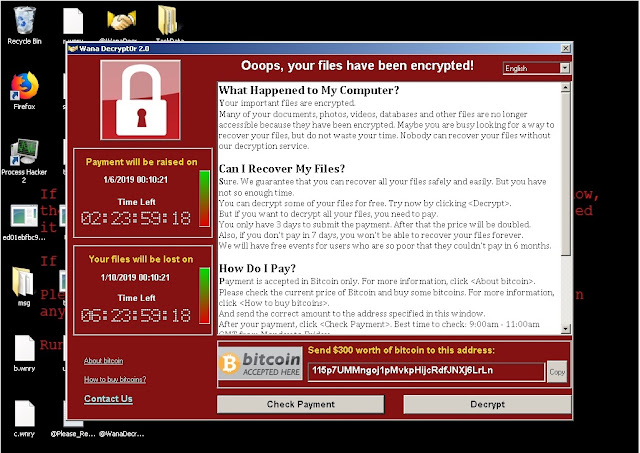
Wanacry Ransomwarwe analysis: detecting malicious network indicator and memory strings

Image
In this post i will try to analyse wannacry Ransomware , i will try to do behavior analysis and will see what malicious network indicators we are getting , what command is it executing. Getting the binary  Downloading the Ransomware binary file from thezoo   , this repository contain binaries of lots of malwares , you can do your experiment with them in a safe environment. Now preparing wireshark for network detection to see what DNS request it will generate on launching. Also using process hacker for deep analysis of process generating by the malware.   Now on launching  we can see my system has been infected with the ransomware . My files are encrypted ,desktop wallpaper changed to a wannacry message. And a message popup on my screen giving me details about what just happened to my system. Going back to process hacker we can see the file with a hash.exe has started , on analysing it we can see it is executing from the desktop...

Web application penetration testing: Tools and Techniques for web security auditing

Image
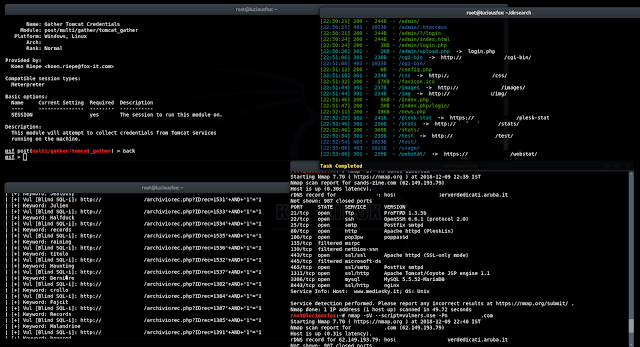
Every pentester has it's own tool and technique for web app security auditing, Some time it depend on the type of website  we are pentesting. We are gonna see some common tool and technique that can help us to audit our web application security. Detecting web application firewall and other services You can start with by detecting is there any web application firewall in use? Later we can see if there's any way to bypass it.  Recommend tool :  fofa.so It is a cyberspace search engine launched by White Hat. It can help researchers or enterprises quickly match network assets by performing cyberspace mapping, for example, analyzing the scope of vulnerability.  shodan.io It is most poplar search engine among pentester for finding various online vulnerable IoT devices, online open ports f rom various web servers. wafw00f   This tool allow you to detect and identify what Web Application is in use that is protecting the website.  ...

Malware analysis (Part2) - Digital forensic of malicious files .

Image
Recently i did a post on digital investigation of a backdoor PDF   in that post i defined PDF structure and how to analyse  these type of malicious files. In this post we will see another method of investigating these malicious file. We will separate all the attachments and Stream Objects from the malicious PDF file and then we will see if there is any malicious content like any listener IP address , dropper inside it. Creating the Malicious file STEP1. First i am gonna create an infected PDF for analysis , i won't create a listener as this is for tutorial purpose . I am gonna inject this exploit in a clean PDF file for this experiment as you can see below i am inserting the directory of the clean PDF file. And after running it i got the evil PDF Starting the Investigation We have created our file now it's time to investigate it. So clone in to this GitHub repository by typing git clone https://github.com/gdelugre/origami.git ...

Hide your internet activity from your ISP by generating random Internet Traffic

Image
What is this  In this post we will see how can we make our online activity less valuable from our ISP by generating random traffic.We will do this by generating random traffic which will random DNS and HTTP traffic in the background while you are visiting your regular web site and doing online activity . This will flood your online activity and your ISP won't get anything valuable that he can sell. How to do this  Doing this is very easy just follow some simple step as shown below  STEP 1. First open your terminal and clone in to this GitHub URL by typing git clone https://github.com/1tayH/noisy.git && cd noisy . STEP 2.  Now install dependencies by typing pip install request  STEP 3.  Now after installing dependencies just type python noisy.py --config config.json --timeout 50 . Here --config is for loading your configuration from config file , --timeout tell for how long you want it to run in second. ...
